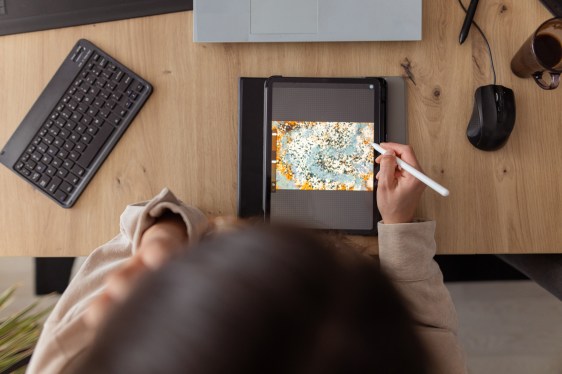
If you are looking to explore your creativity, there are a number of iPad apps that can help you get started. Although the iPad began as a simple device for streaming content or browsing the web, Apple has transformed its tablets into powerful machines capable of creating digital art and editing videos.
We have compiled a list of some of the best iPad apps for creativity available on the App Store. It is worth noting that while Adobe’s creative apps are often top choices, this list focuses on lesser-known apps that are equally worth trying.
Lake takes a relaxed approach to creativity. Instead of a blank page, it lets you digitally color hand-drawn illustrations from independent artists using over 700 colors and a selection of brushes. You can also draw on a blank canvas or jot down thoughts in a coloring journal. The app is great for beginners or anyone seeking a moment to de-stress, with no pressure to stay within the lines. Lake offers free access to a limited number of illustrations, with a full catalogue unlockable through a $9.99 monthly subscription.
Procreate is one of the most popular drawing apps for the iPad. It allows you to create digital paintings, sketches, and illustrations using dozens of brush types. The app is easy to use with gesture controls and a simple interface. It supports high-resolution canvases and lets you create storyboards, GIFs, and simple animations. Helpful features like QuickShape and ColorDrop handle technical details so you can focus on creating. After finishing a piece, you can watch a time-lapse replay of your process. Procreate requires a one-time payment of $12.99.
LumaFusion is a powerful video editing app for those ready to move beyond iMovie. It is user-friendly and ideal for aspiring videographers or indie filmmakers. You can create edits with multiple layers using 4K ProRes and HDR media, add effects and transitions, record voice-overs, and fine-tune audio. The app supports various aspect ratios and is available for a one-time payment of $29.99, with additional features available for purchase.
Canva provides a user-friendly platform for creating visual content without needing graphic design experience. You can design presentations, infographics, social media posts, and more using over 250,000 templates. The app includes photo and video editing tools, and a series of AI features to assist creation, such as turning ideas into images. Canva is free to use, with a $12.99 monthly subscription for unlimited access to AI features and premium content.
Affinity Designer 2 is a professional graphic design app that combines vector design, pixel-based textures, and retouching. It is suited for illustrators, web designers, and game developers. The app supports Apple Pencil precision and allows you to create logos, icons, posters, and much more. It features gesture controls and customizable shortcuts. Affinity Designer 2 is available for a one-time payment of $18.49.
Concepts is an app for exploring ideas and experimenting with designs. You can use it to sketch plans, make mind maps, and draw storyboards. Its tools let you easily change elements without redrawing, and it features realistic pens and pencils. The app includes scale and measurement tools. Basic features are free, with a $4.99 monthly subscription for advanced features like custom brush creation.
Tayasui Sketches is a user-friendly sketching and drawing app. It features realistic brushes, the ability to blend colors, and tools for gradients and depth. You can multitask with other apps and use a Zen Mode for distraction-free creation. Basic features are free, with a $2.99 monthly subscription unlocking unlimited layers, new brushes, and backup capabilities.
Dudel Draw takes a unique approach by providing a new shape every day as a starting point for your sketches. These shapes range from simple geometric forms to abstract designs. You can view shapes from different angles and even compare creations with friends. The app is a fun way to challenge your artistic skills daily and is completely free.
Sketchbook is an easy-to-use app for sketching, painting, and drawing, designed to feel like drawing on paper. It has a simple interface where you can tuck away tools to focus. You can customize brushes and use a predictive stroke feature to smooth lines. The app is free, with premium features like additional brushes and PDF export available for a one-time payment of $2.99.
This story was originally published in December 2024 and is updated regularly with new information.