
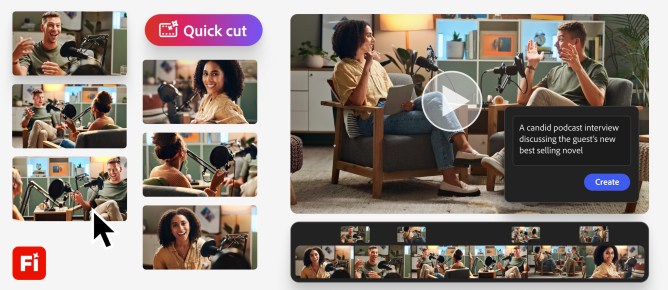
Adobe Firefly’s video editor is introducing a new AI-powered feature called Quick Cut. This tool automatically edits footage and B-roll to create a first draft of a video based on simple user instructions.
Traditionally, video editing requires manually uploading footage and arranging transitions. With Quick Cut, users describe what they want in natural language. The AI then edits out irrelevant parts, assembles different takes, and uses appropriate footage to create smooth transitions between cuts.
Users can also select frames from their B-roll and use one of Firefly’s video models to generate short transitions. A prompt box within the editor allows for specifying settings like aspect ratio and pacing, or for adding optional B-roll footage. Quick Cut can be applied to an entire project, a specific timeline, or selected clips.
Adobe emphasizes that Quick Cut is designed to deliver a first draft. Editors will still need to adjust elements, splice takes together, and refine transitions to complete the video.
Mike Folgner, product lead for AI and next-generation video tools, explained the thinking behind the feature. He noted that creators and marketers often need fast turnaround and time-saving techniques to reach their creative vision quickly. He stated that the mundane tasks of editing, like organizing selects, are not where creators find joy or differentiation. Quick Cut is meant to help them quickly find the story in their media and get to a rough cut as fast as possible.
This update is part of Adobe’s ongoing enhancements to its video tools. In December, the company rolled out a new timeline-based video editor that introduced layers and prompt-based editing, allowing different objects to be treated as layers and edited using text prompts. Adobe has also added broader prompt-based editing capabilities to Firefly, letting users instruct the video model on how to edit elements, colors, and camera angles, alongside a timeline view for easy adjustment of frames, sounds, and other characteristics.